Made for events. Powered by guests.
Every guest is a camera. Every photo is in the same album.
Open everyonesnaps.com on any device for an instant photo booth. Hand out a QR and every guest's phone joins the same live gallery — no app, no kiosk, no rental.
It's a photo booth — and so much more.
A rental booth captures one corner of the room. EveryoneSnaps captures the whole event, from every angle, in one shared gallery.
Renting a photo booth
- ·$500–$1,500 for a 4-hour rental
- ·Schedule the rental weeks ahead
- ·Operator shows up an hour early to set up
- ·Single device — one queue forms around it
- ·Photos delivered in a Dropbox folder days later
Running everyonesnaps.com
- Free while we're in beta — no card, no limits
- Sign in 60 seconds before you start
- Use any phone, tablet, or laptop you already have
- Spin up a second device if there's a line
- Guests scan a QR — pictures on their phone immediately
From sign-up to first photo in two minutes.
No download. No app store. No kiosk computer to drag to the venue. Just open the URL.
- STEP 1
Create an event
Free account, name your event. Each event has its own retention window and members.
- STEP 2
Pick your device
Open the event on any phone, tablet, or laptop. Allow camera access and choose the camera you want to use.
- STEP 3
Tap Capture
Pick a capture mode — booth strip, single shots, or upload — and share the QR so every guest's phone joins in. Everything lands in the same live gallery.
- STEP 4
Guests scan to grab
After each session a QR appears. Guests scan, download, share. No accounts, no waiting.
Build your station
A ring light, a phone, and five minutes.
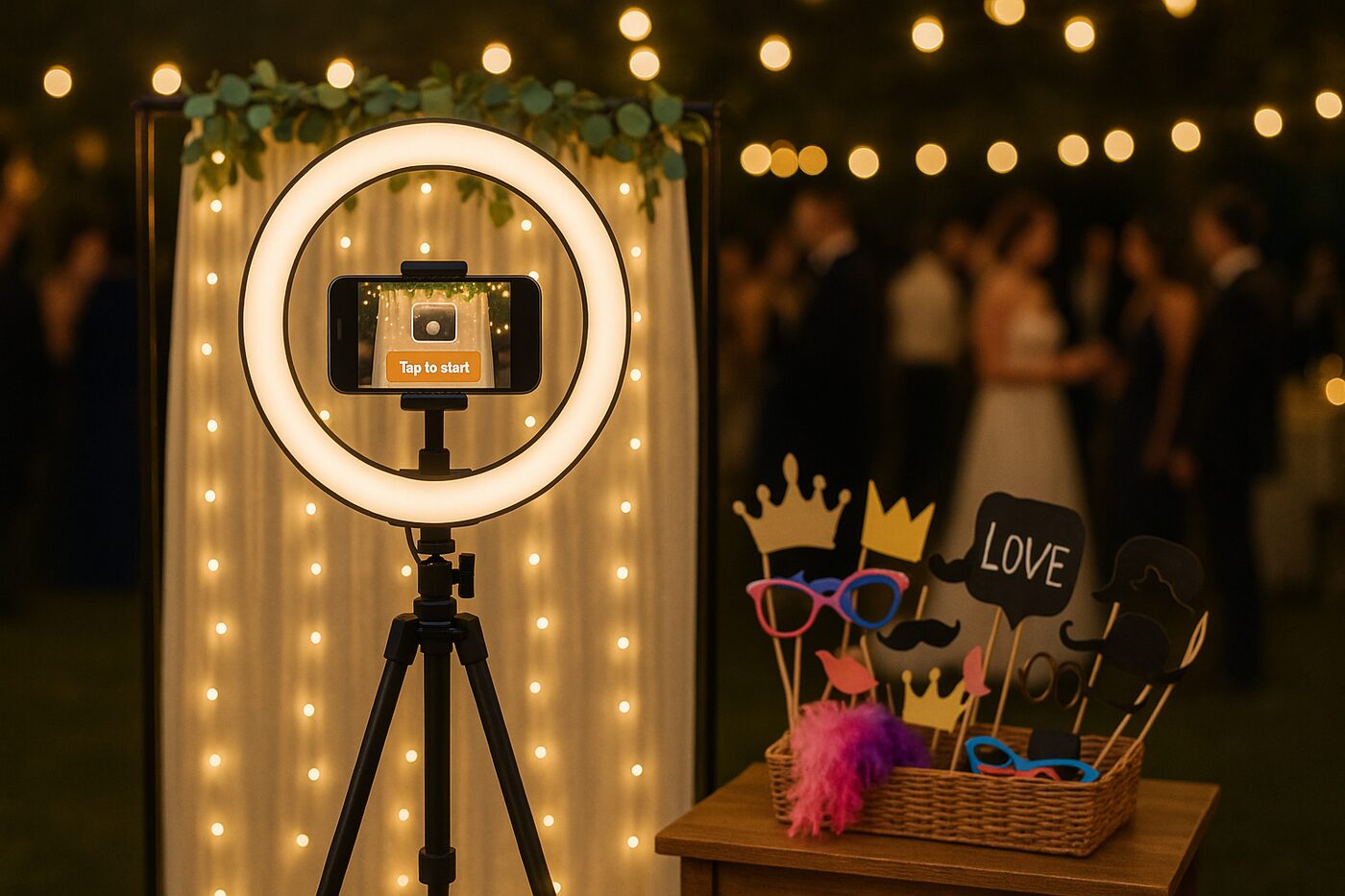
Mount a phone or tablet in a ring-light tripod, point it at your guests, and open EveryoneSnaps in the browser. That's the booth. Drop a basket of props on a side table and a backdrop behind it and you have the full station — for about the cost of one hour of a rental booth.
- Any phone, tablet, or laptop — nothing to install
- ~$40 ring-light tripod is all the hardware you need
- Guests scan the QR on screen — their phones become extra cameras at the same event
- Or bring your own ring light and TV — nothing is proprietary
Guests don't install anything.
After every session a QR pops up on the booth. Guests point their phone at it — their default camera handles the rest — and they land directly on a page with their 3 photos and the combined strip.
The album builds itself. Every session lands in the same live gallery — guests refresh and watch new photos appear as the event unfolds.
- No app, no account, no typed code
- Download originals at full resolution
- Galleries stay live for your retention window
- The QR works long after they've left the event


Snappers
Your booth captures moments.
Your guests capture the event.
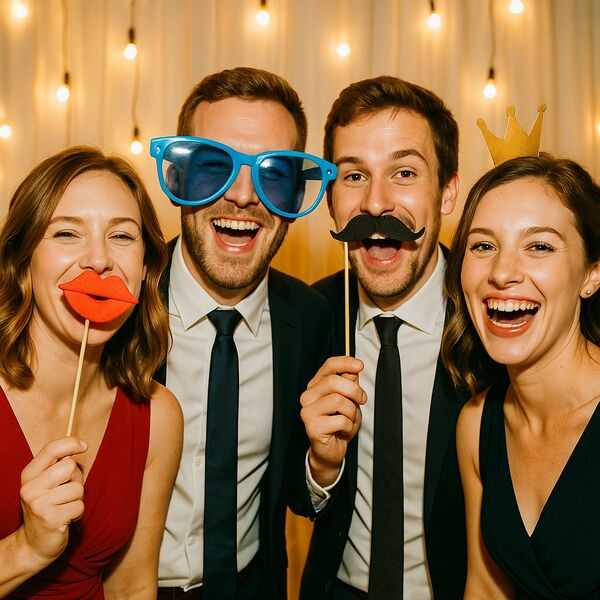
Hand out a QR. Anyone who scans can register in ten seconds and add their photos to the same gallery. We call them Snappers — extra cameras at every table.
No app. No accounts. Browser only.
- Live gallery — the album builds itself as the event unfolds
- Every Snapper's phone joins the same shared feed
- Photos are resized on-device before upload — your venue wifi survives
- Snappers can browse, react, and grab favorites afterwards
Limit how many can join, freeze invites mid-event, hide any photo instantly, or ban a Snapper in one click.
Common questions
- No. The booth runs in any modern browser. Operators sign in on everyonesnaps.com; guests scan a QR. There's nothing to install on either side — including for Snappers who contribute their own photos.
- Yes, that's the Snappers feature. Print the auto- generated QR signage; anyone who scans can register with a name + email in about ten seconds and start adding photos to the same gallery as the booth. No app, no account creation on everyonesnaps.com, no friction. Tier determines how many Snappers an event allows.
- Three layers of control. You can cap how many Snappers an event allows. You can flip a kill switch that disables all outstanding invite links instantly. And you can ban any individual Snapper — they're blocked from uploading or viewing further, without affecting anyone else.
- You can hide any photo from the gallery in one click, or delete it entirely. Other attendees can flag photos for your review — three independent flags trigger an automatic shadow-hide pending your decision, so a single griefer can't bury a legitimate photo, and you don't have to be staring at the moderation queue every minute.
- A shared album is a folder — useful, but it doesn't come with the booth experience, the QR-based onboarding flow, contributor limits, or moderation tools. EveryoneSnaps gives you the structured ritual (booth at the center, attendees expand it), real-time presence (“14 snapping”), and the controls you need when 50 strangers can upload to the same place.
- iPhone, Android phone, iPad, tablet, MacBook, Windows laptop — anything with a camera and a recent Chrome / Safari / Edge / Firefox. Multiple cameras (built-in + external webcam, or front + back on a phone) show up in a picker.
- Captures keep working. The booth queues each session locally and retries the upload in the background once you're back online. Guests can scan the QR — their gallery just lights up when uploads land.
- A full year from capture, for every event, while we're in beta.
- On the Event pass, yes — invite Co-hosts from the event settings. There's also a 6-digit trusted-browsing code if you want to give someone read-only access without an account.
- The combined strip is composed as a portrait JPEG and is downloadable from the guest gallery. Drop it on any photo printer or use a print-on-demand service. Native printing from the booth itself is on the roadmap.
- The cheap fix is a ring light with the camera in the middle — guests step into an even halo and you skip the awkward overhead-flash look. For a phone or an external webcam we've had good luck with this 10″ USB ring light — it has a phone clip + tripod mount, three color temperatures, and a dimmer. If you're running the booth on a tablet, pick a larger ring (14″ or 18″) so the device fits cleanly inside the halo. (Heads up: those are affiliate links — we may earn a small commission if you buy through them. Costs you nothing extra.)
Do I need to install anything?+
Can guests contribute their own photos?+
Can I limit who contributes — or kick someone out?+
What if a Snapper uploads something inappropriate?+
How is this different from a shared Google Photos or iPhone album?+
What devices work?+
What if my wifi goes down mid-event?+
How long do guests have to grab their photos?+
Can someone else help run the booth?+
Is the photo strip printable?+
What about lighting? My venue is dark.+
The next time you're planning an event…
Sign up free, run a test session at home tonight, and see whether you'd trust it for the real day.
Less than 60 seconds to your first capture